Settings
Settings has eleven sections: account, capture, privacy, models, hand-off, connections, export, notifications, shortcuts, appearance and about.
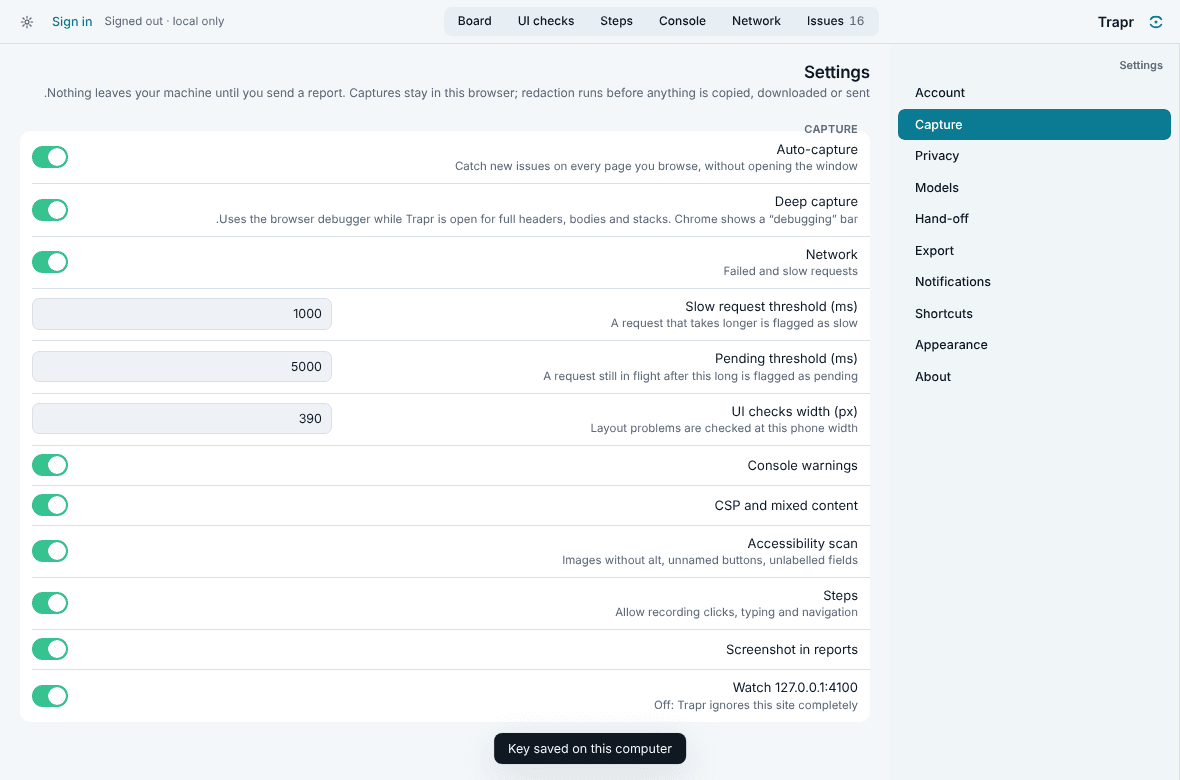
Open Settings with the comma key in the Trapr window.
Sections
- Account: who you are signed in as, your plan and your computers.
- Capture: auto-capture, deep capture, console warnings, network, CSP, accessibility, steps, screenshots, the slow and pending thresholds, and the UI check width.
- Privacy: how many days captures stay on this computer, the redaction rules and the per-site off switch.
- Models: automatic, or your own key, which is stored encrypted.
- Hand-off: turns on Send to Rex and Open in Ingot, which are off by default, and sets the default target and the Slack channel.
- Connections: see Connections.
- Export: the default format and whether reports include screenshots.
- Notifications: when a report is sent or a new issue appears.
- Shortcuts: the keyboard list.
- Appearance: automatic, light or dark, and the language: English, Español or עברית.
- About: details about the version you have installed.
Language
The language applies to Settings now. The rest of Trapr follows in a later release. Hebrew switches the layout to right to left.